
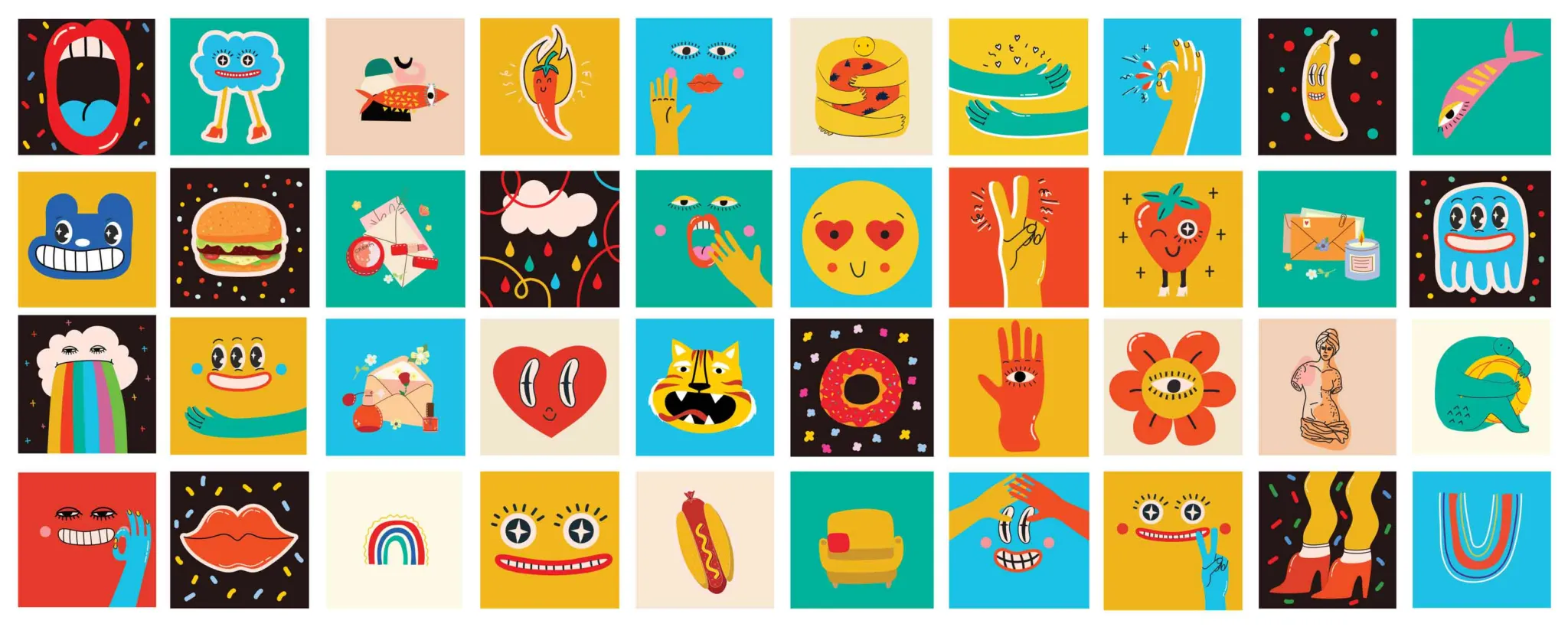
Great illustration systems turn scattered visuals into a recognizable brand voice. For aspiring illustrators, understanding how shapes, strokes and scale work together is essential to building cohesive brand imagery with a smart system of brand illustration guidelines. Illustration systems create clear rules for form, line weight, corner radii and perspective — providing teams with flexible yet consistent rules to create brand visuals that communicate ideas effectively and cohesively across marketing formats, contexts and channels.
Why Brands Need an Illustration System
A brand illustration system (or illustration style guide) is one part of an organization’s overarching brand guidelines that focuses on defining rules for visuals to achieve consistency across channels.
A strong illustration system helps brands communicate with clarity and personality at every touchpoint. As opposed to relying on disconnected visuals, illustrative design systems establish a shared visual language of scalable illustration. In addition to brand consistency, a design system improves user interface (UI) illustration, too, helping interactive interfaces operate more intuitively for positive user experiences (UX).
Learning to think in terms of systems builds creative discipline and real-world readiness for aspiring illustrators interested in marketing. This type of thinking prepares you to create work that is not only expressive but also strategic and adaptable.
Illustration Systems vs. One-Off Artwork
One-off illustrations can be visually striking, yet they often lack continuity when placed alongside other assets. An illustration design system, by contrast, defines repeatable rules for:
This ensures that multiple illustrators (or even the same illustrator over time and across projects) can produce work that feels unified, thereby reducing visual inconsistency and strengthening the overall brand identity.
How Consistency Improves Speed, Recognition and Cross-Channel Cohesion
Consistency enables teams to work faster because fewer creative decisions need to be reinvented with each new asset. Defined rules streamline production while maintaining quality. Plus, over time, audiences begin to recognize the visual style, which strengthens visual identity. A cohesive system also ensures illustrations translate seamlessly across platforms, from social media to print, without losing clarity or impact.
Start With a Clear Visual Foundation
Every effective illustration system begins with intentional decisions about what the visuals should communicate. Before defining shapes or strokes, designers need clarity on the brand’s personality, tone and purpose. This foundation acts as a guide for all stylistic choices that follow. Translating abstract ideas into visual direction results in a system that feels purposeful rather than arbitrary.
Turning Brand Attributes Into Visual Keywords
Brands are often described using abstract traits (e.g., playful, trustworthy or innovative). The challenge is translating those brand personality traits into visual keywords that guide illustration decisions.
For example, “playful” might suggest rounded shapes and bright colors, whereas “precise” could lean toward sharp edges and minimal palettes. These keywords connect strategy with execution, helping to reinforce consistency.
Defining Scope Across Icons, Spots, Scenes and Characters
An illustration system should account for a range of use cases, from simple icons to complex narrative scenes. Defining how the style adapts across these formats supports flexibility without losing cohesion. Consider how detail, composition and scale shift between small spot illustrations and larger compositions as well as how characters fit within the same visual language.
Build the Core Style Rules
Once a visual foundation has been established, the next step is defining the rules that make the system repeatable. These core style decisions ensure that illustrations remain consistent, regardless of who creates them or where they appear. Clear, documented rules reduce ambiguity, support collaboration and help maintain quality as the system scales across different formats and use cases.
Shape Language, Proportions and Corner Radii
Shape language determines the overall feel of an illustration system, be it geometric, organic or a blend of both. A consistent shape language can achieve a cohesive feel by establishing consistent proportions for elements (like objects and characters) to maintain harmony. Additionally, defining corner radii (how rounded or sharp edges appear, especially in vector art) adds another layer of cohesion. Documenting and following these rules helps every illustrated component feel like it belongs to the same visual family.
Stroke Weights, Line Behavior and Detail Thresholds
Stroke rules define how lines function within the system, including their thickness, variation and alignment. Consistent stroke weights help unify illustrations, while guidelines for line behavior (such as when lines connect, overlap or taper) add clarity.
Setting detail thresholds also keeps illustrations legible and prevents overly complex visuals that break consistency or reduce usability at smaller sizes. Illustration detail should translate, whether being used in icon design or scaling up to billboard context.
Color and Fill Rules for Clarity and Accessibility
Color assumes a central role in both expression and usability. Define a limited color palette for illustration that aligns with the brand while verifying sufficient contrast for readability. Establish rules for when to use fills, outlines or negative space.
Accessibility considerations (such as color contrast, differentiation and color-blindness testing) ensure illustrations communicate effectively to a broad audience across different contexts.
Set Perspective and Scale Standards
No matter if you’re working with isometric illustration, flat illustration or a vector illustration style, perspective and scale play a pivotal part in how cohesive and believable an illustration system feels. Without clear standards, visuals quickly become disjointed and confusing. Explaining how to handle depth and size relationships ensures that illustrations work together seamlessly, whether they appear individually or within a larger composition.
Choosing Flat, Two-Point or Isometric Perspective
Selecting a consistent perspective style impacts how viewers interpret space and depth. Choosing one primary approach (or clearly defining when each different style is used) prevents visual inconsistency across different illustrations. For instance:
- Flat illustrations emphasize simplicity and clarity.
- Two-point perspective introduces realism and dimension.
- Isometric perspective offers a structured, three-dimensional feel without distortion.
Creating Scale Rules for Icons, Spots and Scenes
Scale rules determine how elements relate to one another across different illustration types. Icons may require simplified proportions, while scenes can support more detail and variation. Establishing guidelines for relative sizing, spacing and level of detail ensures that illustrations remain balanced and legible, regardless of format, while still belonging to a unified system.
Create Reusable Components for Consistency
Reusable components make an illustration system efficient and scalable. Instead of starting from scratch with each design, illustrators can rely on pre-defined elements that fit the established style. This approach saves time while reinforcing visual consistency. Building and maintaining a shared library makes it easier for teams to create cohesive work across projects, platforms and contributors.
Building Libraries for Characters, Props and Environments
A well-organized component library encompasses a variety of modular elements such as characters, props and environmental details. Assets should follow the system’s established rules for elements like:
- Shape
- Proportion
- Color
- Perspective
These flexible building blocks can be combined and adapted, helping illustrators produce a wide range of visuals with a consistent look and feel, with minimal effort.
Keeping Expressions, Poses and Object Styles Aligned
Consistency goes beyond structure to include how elements behave and communicate. An illustration guide should also provide guidelines for character expressions, body language and object styling to avoid mismatched tones. For example, exaggerated expressions might suit a playful system but not a formal one.
Aligning these details helps guarantee that every illustration supports the same visual voice and emotional intent.
Define Composition and Usage Guidelines
Even with strong style rules, inconsistent composition can weaken an illustration system. Clear guidelines for how elements are arranged and used ensure that visuals remain effective in real contexts. These standards help illustrators make informed decisions about layout and emphasis while also guiding non-illustrators who may apply the system across marketing, product or editorial design work.
Focal Points, Hierarchy and Cropping Rules
Effective compositions guide the viewer’s eye using clear focal points and visual hierarchies. Define how primary subjects should be emphasized using scale, contrast or placement. Cropping rules also play a role, determining how illustrations adapt to different formats without losing meaning. Consistent approaches to these elements maintains clarity and balance across a wide range of applications.
Do and Do Not Examples for Common Applications
Providing clear visual examples within the illustration guide helps translate abstract rules into practical guidance. Show how illustrations should and should not be used in common scenarios, such as:
- Social posts
- Websites
- Presentations
- Printed materials
Furthermore, these examples should highlight correct spacing, alignment and style application while also identifying common mistakes. This makes the system easier to follow and more reliable across different users and contexts.
Support the System With Workflow and Governance
A solid illustration system is only most effective when supported by clear processes and ongoing oversight. Workflow and governance ensure that the system is applied correctly and evolves over time. For students studying illustration, understanding these operational aspects is key to preparing for work in professional environments where collaboration, efficiency and consistency are imperative.
File Formats, Templates and Shared Design Tools
Standardizing file formats and illustration templates helps teams work more efficiently and reduces errors. Provide ready-to-use files like Scalable Vector Graphics (SVG) icons with pre-set grids, colors and stroke styles that align with the system. Using shared design tools (such as Figma or Adobe Illustrator) allows collaborators to access and update assets with ease, ensuring everyone works from the same source and maintains consistency.
Quality Control, Reviews and System Maintenance
Regular reviews help uphold the integrity of the illustration system as new work is created. Establish a quality control checklist that defines checkpoints for feedback and approval to catch inconsistencies early. Over time, update the system to reflect new needs or improvements. Treat the system as a living resource that evolves while still preserving its core visual principles.
Case Studies: Global Perspectives
Influenced by culture, design trends and industry needs, illustration systems vary around the world. Examining global examples offers a glimpse into different approaches to consistency, style and application.
United States: Product Illustration Systems for SaaS and UX
In the U.S., tech companies prioritize clarity and usability. Illustration systems often focus on scalable icons, interface components and product storytelling that strives to balance simplicity with engaging characters or object designs to enhance user experience across digital platforms.
Japan: Minimal Line Systems and Precise Grid Discipline
Japanese illustration systems emphasize minimalism, clean lines and strict adherence to grids. Precision in proportion and spacing creates elegant, highly legible visuals that are often paired with restrained color palettes for clarity and harmony.
Brazil: Vibrant Systems With Pattern and Cultural Motifs
Brazilian systems favor bold colors, dynamic compositions and playful patterns inspired by cultural traditions. Reusable elements like motifs and expressive characters create energetic, distinctive visuals that communicate personality while remaining cohesive across channels.
Practicing the Fundamentals of Illustration and Design Systems at RMCAD
A firm grasp of shapes, strokes, perspective and consistency forms a solid foundation for professional illustration. At Rocky Mountain College of Art + Design, both online and on-campus students explore these principles through hands-on projects designed to develop versatile, polished portfolios. RMCAD’s Bachelor of Fine Arts in Illustration equips aspiring illustrators to create cohesive systems that shine across brands, media and industries.
To learn about studying illustration online or on campus with RMCAD, request more information today.
FAQs: Building an Illustration System
Q1: What is the difference between an illustration system and a style?
A style describes how work looks. A system includes measurable rules and reusable components, so multiple creators can produce consistent work at scale.
Q2: How do I choose stroke weights that scale well?
Start with a base weight tied to your grid, then define multipliers for small and large artwork. Test at the smallest and largest sizes you will publish.
Q3: Should a brand use flat or isometric perspective?
Choose based on function. Flat works well for fast readability and small sizes. Isometric adds depth to complex scenes but requires strict rules to avoid inconsistency.
Q4: How do I prevent different illustrators from drifting off style?
Provide a system sheet, “do” and “do not” examples, a component library and a review process. Define ownership and update rules to keep the system current.
Q5: What file formats should the system support?
For most brands, provide source files in a shared tool plus exports as SVG for web, PNG for raster graphic needs and PDF for print and documentation.
Q6: How do I keep illustration accessible?
Set contrast targets, avoid color-only meaning and test with color-blind simulators. Maintain clear silhouettes and enough line weight at small sizes.
Q7: What should students include in a portfolio to show system thinking?
Show the rules, the component library and multiple applications — such as icons, spots, scenes and a landing page. Include before and after consistency examples.