
Websites, video games, mobile apps, and just about every other digital interface imaginable make it possible for users to engage with their surroundings and interact with their environments in more exciting ways than ever before.
If you’re planning to get into graphic design, knowing how to create and facilitate meaningful interactive experiences with users is critical — particularly when it comes to optimizing the user experience.
So, what exactly are interactive experiences, why do they matter in graphic design and how can you effectively design these experiences for your users? Delve into this and more below.
Understanding Interactive Experiences
In today’s digital era, interactive experiences have become so integral to our everyday lives that many people don’t even notice them or think about them. Still, they play a central role in our experiences as consumers of digital media.
What Are Interactive Experiences?
Interactive experiences occur when users have the opportunity to actively engage in their environments. Of course, physical environments are naturally interactive — but digital environments have become increasingly interactive since the advent of the internet. For example, a user on a website may interact by clicking on links, scrolling through photos or even providing their own input (such as by submitting an online form).
Why Graphic Design Matters
In the realm of interactive web design, graphic design is vital because when a website (or app) is designed thoughtfully, users can better navigate and interact with the end product. The result is a more enjoyable user experience that may increase their chances of coming back, making a purchase, or associating positively with the brand itself.
Key Graphic Design Principles for Interaction
When designing websites, apps, and other digital media with user interaction in mind, a few key principles to be aware of include:
Visual Hierarchy
Hierarchy is one of the most essential graphic design principles in interactive design. Specifically, creating a visual hierarchy using text and images is an effective way to establish organization and guide users’ focus. This, in turn, can enhance the experience and make interaction occur more seamlessly.
Typography and Readability
Additionally, typography choices are crucial when designing for user interaction, and this remains true in both digital and print media. Designers should select texts that are legible to as wide an audience as possible. This includes not just a careful choice of font but also color, contrast, spacing, and other typographic choices.
Color and Contrast
Aside from considering color and contrast in typography, designers need to integrate these components with their other choices. An effective use of contrast can help call out important information to users, making it easier for them to interact with the website or app. Strategically leveraging color and contrast also helps maintain consistency with branding and marketing.
Motion and Animation
In creating interactive websites, graphic designers can use motion and animation to call attention to certain parts of an app or webpage. Even something as simple as a pop-up or flashing button on the screen could bring users’ attention to a call to action, prompting them to fill out a form or make a purchase.
Applications of Graphic Design in Interactive Media
There are numerous considerations for how graphic design can be used in interactive media. Just a few examples include:
Websites
Designers must keep in mind the ways in which users interact with websites by:
- Clicking on links
- Browsing navigation menus
- Scrolling through photos
- Watching videos
- Filling out contact forms
Mobile Apps
When using a mobile app, users interact by tapping or swiping through pages, filling out forms, and refreshing pages (usually by pulling down from the top of the screen).
Video Games
Video games are highly interactive, encouraging users to take agency over their characters. They chat with other users, navigate game menus, and use buttons or other inputs to control their characters.
Tools and Techniques for Designing Interactive Experiences
As a graphic designer, there are some specific tools, techniques, and trends you can apply in your work to enhance interactive experiences for your users.
Design Software for Interactivity
These days, there is no shortage of design software for graphic designers who are implementing interactive elements in their work. Whether you’re designing a website, app, or even elements of a video game, the following platforms may be worth checking out and experimenting with:
Wireframing and Prototyping
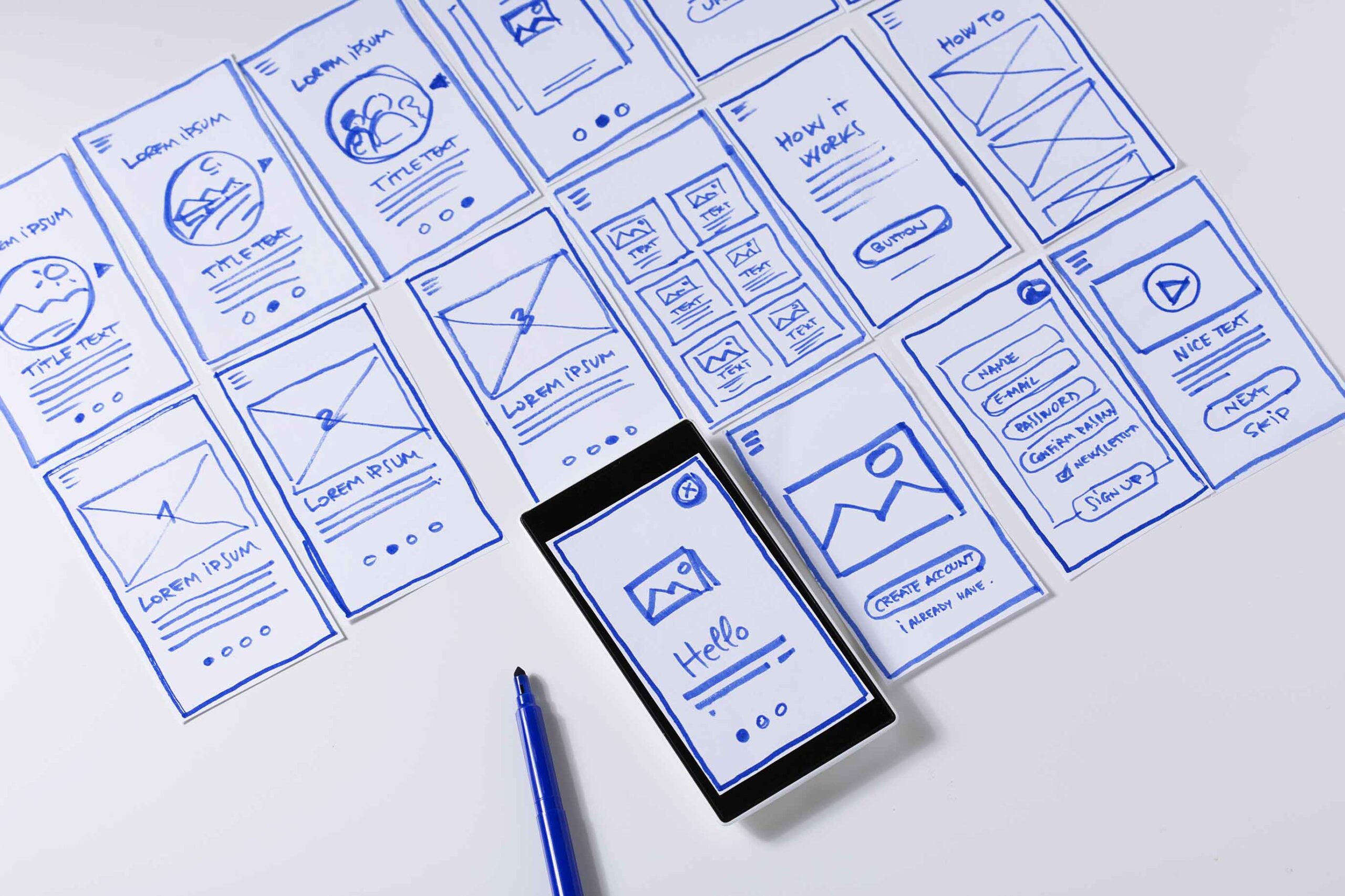
In graphic design for apps, websites, and video games, graphic designers can also utilize wireframing and prototyping as a means of building experimental models of their end products. This can effectively test how well a website or app aligns with user expectations and results in desired interactions.
Collaborating With Developers
In some cases, it takes more than a designer’s eye to make an interaction come to life. Thus, it may be necessary for graphic designers to collaborate with other professionals (such as developers) who can carry out the technical details needed to turn ideas into reality.
Case Studies: Successful Interactive Designs
You may better understand and appreciate the impact of interactive design by considering some examples of successful design.
Website Design: Airbnb
The Airbnb website is known fondly not just for its easy navigation but also for its interactivity. Although the site has a very simplistic design, it encourages users to enter their search criteria — including desired location(s) and travel dates — and populates immediate results. From there, users can quickly browse details of each property and scroll through photos.
Mobile App Design: Duolingo
The language-learning app, Duolingo, is also known for its seamless interactivity that helps users learn new languages through a gamified experience. Meanwhile, its easy-to-navigate interface makes it a popular and accessible option for users of all backgrounds, and its memorable mascot (an animated green owl) is a visual hallmark of the brand.
Challenges in Designing for Interaction
Even though designing interactive media has come a long way, designers should be prepared to overcome some common challenges in their work.
Balancing Aesthetics With Functionality
A key obstacle that many designers run into is that of striking the ideal balance between creating a product that looks good and one that functions well. This can be especially challenging in the context of interactive design — but by truly knowing your audience and their pain points, you can work toward a simple yet effective design that beckons users to interact.
Ensuring Accessibility
Accessibility is very important in the digital world, particularly in designing websites and apps that are used by a wide audience. When designing with accessibility in mind, graphic designers should be cognizant of elements like typography choices as well as the use of color/contrast and alternative text.
Keeping Up With Trends
Website and app design trends are constantly evolving; what’s “in” one moment could be a thing of the past the next minute. With this said, graphic designers should develop their skills and knowledge for long-term success. In doing so, they can remain relevant and continue to provide users with what they need.
Tips for Aspiring Designers
As an aspiring designer, you may wonder where to get started with creating interactive digital media. Fortunately, a few helpful tips can help you strengthen and diversify your skills.
Perfecting Graphic Design Basics
First, a great deal of interactive design methods and strategies build off of more basic graphic design concepts. With this in mind, it’s important to strengthen your use of essential graphic design components (including contrast, color, and hierarchy) before applying them to more complex interactive designs.
Learning UX Design
Graphic designers can also benefit from learning specifically about user experience (UX) design. This entails the process of:
- Conducting thorough user research to understand your audience’s needs
- Prototyping/testing your designs
- Implementing feedback into revised designs until you’re happy with the end result
Building a Portfolio
As you gain more experience in interactive design, showcase your best work in a design portfolio. This is an excellent way to show potential clients and employers what you’re capable of. Just be sure to update your portfolio regularly and make it readily available in a digital format for easy viewing.
Discover RMCAD’s Graphic Design Program
From wireframing and prototyping to thoughtful collaboration with developers, there are plenty of strategies graphic designers can execute to improve user interface design and optimize interactive experiences. Leveraging the right tools and visual storytelling techniques, designers can transform the way users interact with their content and take advantage of critical opportunities.
Interested in learning more about how to apply UX design principles to user interface design? Check out Rocky Mountain College of Art + Design’s career-focused Bachelor of Fine Arts Graphic Design Degree program. Offered both online and in person, this degree program focuses on multidisciplinary methods of design that range from branding and print to web, video, user experience, and user interface.
Request more information to learn about this program or any others at RMCAD. Ready to take the next step? Start your online application today.