Modern animators have an expansive, diverse toolbox available. Understanding the intricacies, strengths and weaknesses of the different approaches to animation can help animators maximize their budgets while enhancing visual appeal.
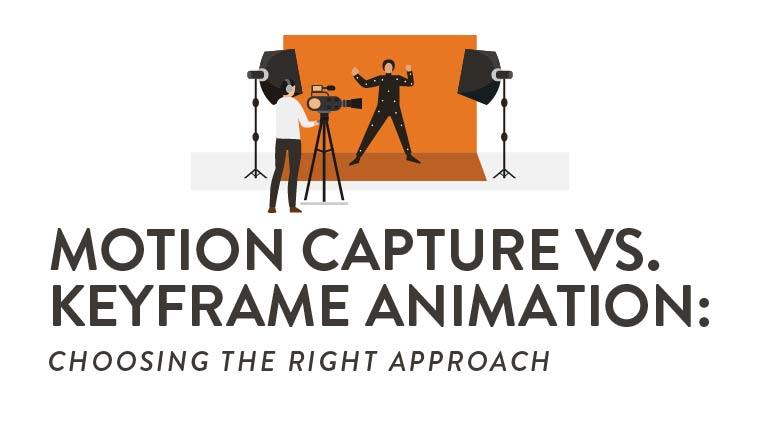
Explore the differences between two popular techniques — motion capture and keyframe animation — along with their strengths, limitations and ideal use cases to help animators choose the most effective approach for their projects.
Defining the Two Approaches
When considering motion capture vs. keyframing, knowing what each animation technique produces (and how it produces it) makes it easier to choose the best approach for your project.
What Motion Capture Captures: Body, Face and Hands
Motion capture uses special sensors and cameras to record an actor’s full-body movement, facial expressions and hand gestures to generate data-driven animation, applied to 3D characters, with the nuance of natural performance.
What Keyframing Builds: Pose to Pose and In-Betweens
Like modern stop motion, keyframing constructs animation digitally, frame by frame, by defining critical poses and interpolating in-between frames. This, in turn, gives animators control over timing, style and exaggeration.
Output Targets: Games, Film, TV, XR and Real-Time
Both methods can yield animated assets for games, film, television, extended reality (XR) and real-time pipelines. Each platform demands different optimization to meet performance constraints and ensure realistic delivery.
Strengths and Limitations at a Glance
Each animation technique offers clear benefits and trade-offs, with varying levels of advantage depending on the situation.
Mocap Pros: Speed, Natural Nuance and Iteration
- Accelerates the production of complex animations much more quickly than manual keyframing.
- Preserves authentic human subtleties for highly realistic motion.
- Supports quick retakes and adjustments with minimal disruption.
Mocap Cons: Cleanup, Noise and Hardware Cost
- Captured data typically requires significant cleanup due to excessive noise.
- The hardware, space and calibration required for motion capture can be expensive and complex.
- Since motion capture iterates real movement, it can be more difficult to create fantastical, exaggerated or stylized animations.
Keyframe Pros: Stylization, Control and Exaggeration
- Offers full control to fine-tune precise movements.
- Supports artistic interpretation with tailored timing and varied styles (cartoon, realism, anime or stylized motion).
- Can be performed with relatively inexpensive software.
Keyframe Cons: Time Intensive and Animator Bandwidth
- Manual posing and refinement (especially for complex movements) are time-consuming.
- Time-intensiveness can limit animator productivity.
- It can be difficult to achieve realistic movement, even with physics-based tools.
When to Choose Motion Capture
Mocap excels when authenticity, speed or physical complexity are central to the shot.
Realistic Performances, Dialogue Scenes and Subtlety
The use of motion capture in film supports believable acting, nuanced facial work, grounded gestures or natural timing that captures the emotion of human performance.
Crowd and Sports Actions With Complex Physics
High-energy movement, full-body athletic sequences and large coordinated crowd actions benefit from mocap’s ability to record dense, physically accurate motion.
Real-Time Pipelines for Live Events and Virtual Production
Mocap integrates well with LED stages, live broadcast animation and real-time animation engines — enabling responsive performances and rapid iteration during shoots or broadcasts.
When to Choose Keyframe Animation
Keyframing shines when artistic intent outweighs realism.
Stylized Characters and Nonhuman Motion
Use keyframing for robot or creature animation — or in worlds where physical rules bend.
Physical Impossibility and Exaggerated Timing
Keyframe workflows allow animators to push timing and spacing, silhouettes and arcs beyond what mocap can produce. This creates dynamic, impossible motion and animation cycles with deliberately dramatic flair.
Limited Budgets With High Artistic Direction
When hardware, capture stages and cleanup pipelines don’t fit the budget, keyframing offers a cost-effective path to high-quality animation supported by a strong artistic sensibility.
Hybrid Workflows That Win
With a hybrid workflow, a film, TV, XR or game animation pipeline blends mocap and keyframing to balance realism with control. The following hybrid strategies maximize flexibility without compromising quality.
Mocap Base With Keyframed Polish and Accents
Start with mocap for foundational motion, then refine arcs, add stylization and enhance poses through hand-keyed adjustments for cleaner, more expressive results.
Keyframed Blocks With Mocap Inserts for Micro-Motion
Build broad character actions by hand before layering in snippets of mocap (like finger flicks or torso shifts) to introduce realistic detail without sacrificing style.
Facial Capture Plus Hand-Keyed Eyes and Mouth Shapes
Combine captured facial motion with custom eye movements, blinks and mouth shapes to ensure emotional precision where mocap might miss subtle artistic cues.
Pipeline and Toolchain Essentials
Choosing the right workflow depends on how the technical components of animation tools connect and work together.
Capture Types: Optical, Inertial and Markerless
Studios rely on:
- Optical mocap for precision
- Inertial suits for mobility
- Emerging markerless solutions for more flexible, camera-based capture without reflective markers
Retargeting Rigs, Constraints and Control Rigs
Clean motion depends on well-built retargeting setups, constraint systems and an animator-friendly control rig to preserve intent and enable precise adjustments.
DCC and Engine Handoffs: Maya, Blender, MotionBuilder, Unreal and Unity
Efficient pipelines support smooth transfers between digital content creation tools and game engines. They provide rigging, state machine, animation blueprint and real-time animation capabilities (such as Maya Animation, Unreal Engine, Blender Animation and Unity Engine). A vital component of a motion capture systems comparison process should be considering workflow, as efficient pipelines maintain clean animation data across layout, polish and real-time integration stages.
Cleanup and Quality Control
Whether using mocap or keyframing, animation passes must be refined for stability and believability. Focus on the following fixes and refinements:
Gap Fills, Trajectory Fixes and Foot Lock
Correct popping, drifting paths and sliding feet to maintain grounding, continuity and physical credibility throughout character movement.
Noise Reduction, Curve Filtering and IK Stabilization
Smooth jittery data, refine curves and stabilize inverse kinematics (IK) chains to ensure clean, readable motion that behaves consistently even under changing camera angles or rigs.
Editorial Choices: Trim Loop and Blend Trees
Tighten clips, create seamless loops and prepare blend-tree-friendly segments that support responsive transitions across separate movements with shot-based animation or gameplay systems.
Performance Direction and Ethics
Working with performers (e.g., actors, stunt teams or athletes) requires thoughtful direction and responsible practices to the creative and ethical considerations that shape high-quality captures in a safe, respectful environment.
Casting and Rehearsal for Readable Silhouettes
Select performers whose movement style matches the characters. Rehearse poses to ensure clear silhouettes that translate cleanly into animation.
Stunts, Safety and Consent in the Volume
Prioritize safe choreography, physical readiness and explicit consent for all actions, especially when performing potentially hazardous or physically demanding moves in the capture space.
Credit and Performance Ownership
Acknowledge performers’ contributions in final credits. Establish transparent agreements regarding performance rights, data usage and long-term asset storage.
Budgeting, Scheduling and Risk
Both mocap and keyframing come with logistical constraints that impact cost and schedule.
Facility Rentals, Suits and Stage Time
Account for capture-stage bookings, suit maintenance, calibration and crew staffing. These costs scale with respect to shoot length and technical complexity.
Shot Count Time per Second and Review Cadence
Estimate labor by seconds of animation. Plan regular reviews to catch issues early, preventing compound delays across sequences.
Versioning Change Requests and Contingencies
Build buffers for retakes, redesigns and late notes, ensuring your schedule and budget can absorb unexpected revisions without derailing the project.
Case Studies: Global Perspectives
Around the world, studios mix mocap with keyframing in unique workflows shaped by culture, scale and genre. Consider these global case studies for a fresh perspective.
Japan: Hybrid Anime Realism for Mecha and Human Scale
Japanese studios blend mocap grounding with hand-keyed anime stylization to harmonize mechanical precision and expressive human motion.
Canada: Cinematic Games Using Facial Capture and Keyed Eyes
Canadian animation teams often pair detailed facial capture with hand-keyed eye work to achieve emotionally rich animations.
Poland: Inertial Suit Combat With Hand-Keyed Camera
In Poland, game design studios are using inertial suits to capture full-body combat before refining pacing and impact with hand-keyed choreography.
New Zealand: Virtual Production and On-Set Retargeting
New Zealand animators emphasize real-time retargeting, enabling directors to visualize animated performances directly on LED stages.
South Korea: Stylized MMO Emotes With Mocap Bases
South Korean MMO game designers record base movements with mocap before amplifying charm, timing and exaggeration through focused keyframing.
Spain: Markerless Indie Films With Heavy Keyframe Polish
Spanish indie productions have adopted markerless capture for flexibility and affordability. Cleanup with intensive keyframing refinement achieves cinematic clarity.
United Kingdom: Creature Work Hand-Keyed Over Mocap Plates
In the UK, animators layer hand-keyed creature motion on top of mocap reference motions to blend realism with imaginative anatomy and behavior. One of the most notable examples is Andy Serkis as Gollum.
Brazil: Mobile Game Loops Keyframed for Readability
Mobile game studios in Brazil rely on hand-keyed loops to achieve clarity on small screens and low-spec hardware for high-performing mobile games.
Education, Portfolio and Career
Growing professionally as an animator means showing not just what you create but also how you work. Here’s a quick portfolio breakdown, outlining what you need to prove your skills.
Building Reels: Cycles, Acting Shots and Cleanup Breakdowns
Include examples of polished loops, expressive dialogue shots and clear cleanup examples that demonstrate:
- Range
- Technical skill
- Process
- Ability to elevate raw motion
Documenting Process: Before, After and Node Graphs
Include side-by-side before and after comparisons, animation curves and node graphs to highlight your problem-solving approach and understanding of technical workflows.
Cross-Discipline Collaboration With Tech Anim and TDs
Emphasize your ability to collaborate with technical animators, artists and directors. Provide examples that showcase your comfort with a variety of tools, techniques, constraints and multidisciplinary teamwork.
Testing and Player Readability
For animation to come across clearly in real viewing conditions, animators must ensure motion reads cleanly in films or gameplay contexts.
Silhouette Checks at Game Camera Distance
Evaluate poses from actual gameplay distances to confirm clear silhouettes, strong staging and instantly recognizable actions under typical player viewpoints.
Timing Tuning at 30, 60 and 120 fps
Adjust animation timing across multiple frame rates to maintain impact, responsiveness and consistency in varied performance environments.
Color and VFX Pairing for Hit Confirms
Coordinate animation cues with color accents and visual effects (VFX) so players quickly recognize triggers, hits and critical moments.
Explore Motion Capture and Keyframe Animation at Rocky Mountain College of Art + Design
Motion capture and keyframing are just two unique approaches to animation that present numerous advantages across a variety of circumstances. Depending on the specific project, budget and time constraints and stylistic choices, keyframing, motion capture or a combination of the two may help achieve the desired movement and aesthetic.
The on-campus and online Animation degree programs at Rocky Mountain College of Art + Design (RMCAD) are designed to expose students to a wide range of traditional, modern and emerging animation techniques, tools and workflows. These programs provide a solid foundation in animation principles and approaches. To learn more about studying animation at RMCAD, request more information today.
FAQs: Motion Capture vs. Keyframe Animation
Q1: Is motion capture faster than keyframing for all shots?
Often, yes, for realistic performances and large volumes of animation. However, cleanup and retargeting can offset speed; simple, stylized loops may be faster to key.
Q2: Can mocap produce stylized animation?
Yes, with aggressive retiming, posing and graph edits. Many teams capture the base for timing, then hand-key silhouettes, accents and secondary motion.
Q3: What if we cannot afford a mocap stage?
Use inertial suits or markerless capture for pre-visualization and bases. Prioritize key hero shots for rental days and keyframe the rest to control costs.
Q4: When should I use hand-key facial animation?
For stylized rigs, lip-sync precision and exaggerated beats. Even with facial capture, animators often key eyes, lids and mouth shapes for clarity.
Q5: How do I decide per shot which method to use?
Tag shots by realism, stylization, camera distance and schedule. Use a decision matrix: mocap for complex body realism, keyframe for stylized or creature work.
Q6: What are common mocap cleanup tasks?
Foot sliding, root drift, gimbal issues, finger pops and contact mismatches are common mocap cleanup tasks. Fix with IK pinning trajectory edits and curve filtering.
Q7: How do I build a portfolio that shows both skills?
Include one mocap cleanup with before-and-after keyframed acting shots, a stylized cycle and a hybrid example — with notes on your retargeting and polish.