
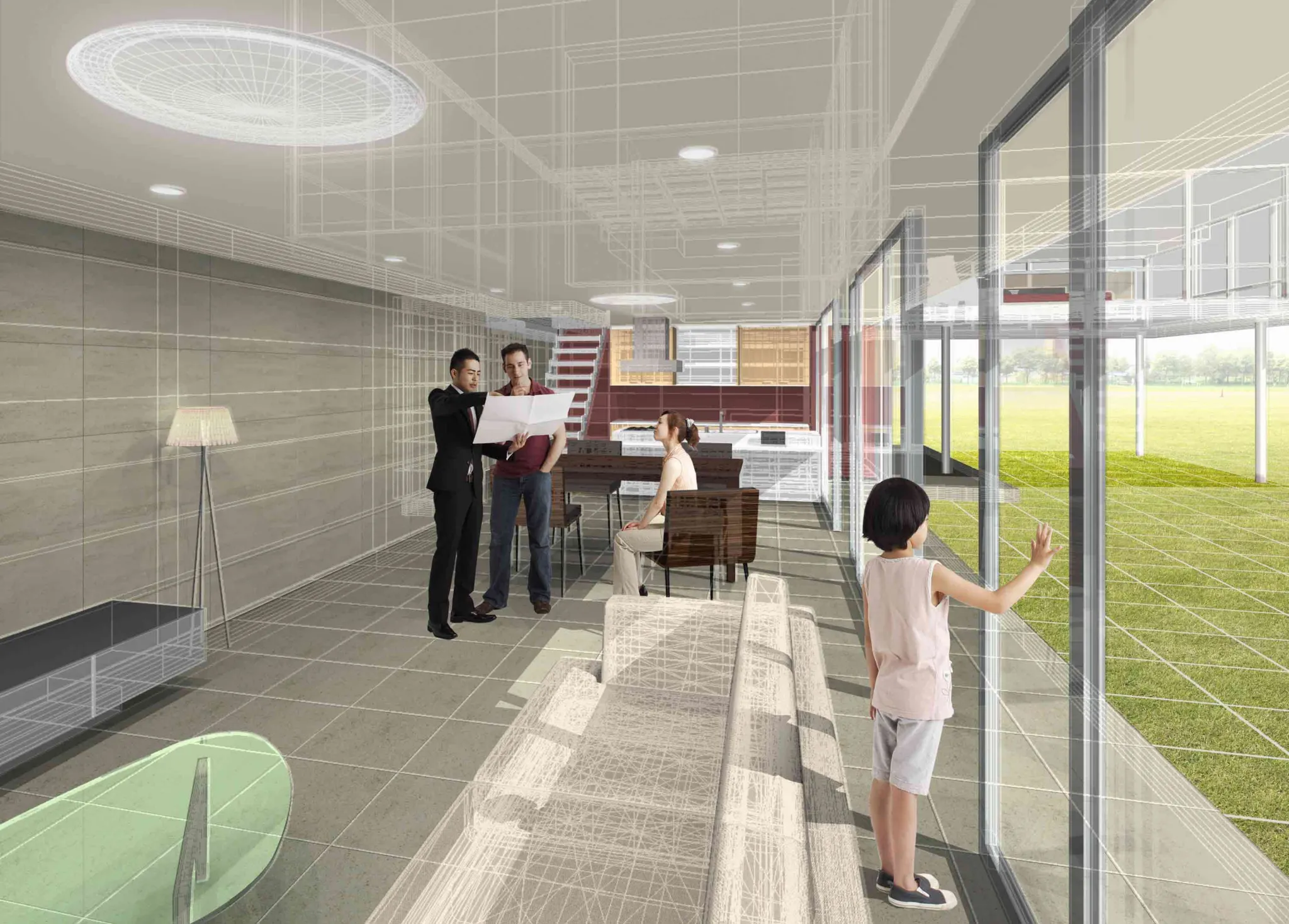
Today’s interior design clients expect truly immersive visual experiences that help them better understand their spaces before any work begins. Thankfully, tools like building information modeling (BIM) and real-time rendering technologies now make it possible for interior design teams to build these environments for client presentations.
The key to success is learning how to use these tools together as they move from technical documentation to visual storytelling. For aspiring interior designers, a formal degree program offers the career-ready coursework and hands-on experience that prepares graduates to use these cutting-edge tools with confidence.
Why BIM and Real-Time Rendering Work Better Together
When interior design teams combine BIM and real-time rendering, they can create powerful, more unified workflows that bridge gaps between technical documentation and architectural visualization. The result? Clients can enjoy immersive walk-throughs of their future spaces without the need for extensive technical knowledge.
How BIM Improves Coordination Before Presentation Starts
Unlike traditional drafting systems, BIM models contain interconnected data about all aspects of a project (including lighting, color palettes, finishes and materials), which can improve team coordination early in the process. It also ensures that any design change automatically updates across plans for enhanced consistency — thus reducing the risk of presentation errors in front of the client.
Why Real-Time Visualization Helps Clients Decide Faster
In addition to BIM models improving coordination, using BIM in tandem with real-time visualization can help clients better understand and explore proposed designs before approving them. Through immersive perspectives and interactive walkthrough experiences rather than traditional 2D floor plans, clients can provide more assured feedback, leading to more streamlined review processes.
Build a BIM Model That Is Presentation Ready
So, what does it take for interior designers to build BIM models that are ready for client presentation? There are a few factors to keep in mind, ranging from geometry and materials to model accuracy.
Organizing Geometry, Materials and Views for Clean Exports
First, teams can focus on rendering using Autodesk Revit software to ensure clear exports and proper organization. Some specific Revit rendering tips for designers include:
- Using consistent naming conventions
- Following classification systems for lighting fixtures, furniture families and other assets
- Maintaining consistent texture naming
Taking these seemingly simple measures helps ensure that BIM data is interpreted correctly during export, which can streamline the production of client presentations.
Using Model Accuracy Without Overloading the Scene
BIM is designed to support highly detailed design models, but designers should still take care to eliminate any excessive geometry or detail that could impact rendering. Over time, designers may gain practical experience working with 3D rendering tools and learn how to prioritize only the most critical design elements when creating client-facing presentations.
Move From Revit Into Real-Time Tools Efficiently
Aside from Revit BIM software, interior designers may rely on real-time rendering tools like Enscape and Twinmotion to help clients see and interact with their designs in a real-time walkthrough. In moving from Revit to Twinmotion, Revit to Enscape or other design validation tools, consider the following:
Preparing Files for Enscape Workflow or Twinmotion Workflow
Before exporting models, interior designers working in Enscape or Twinmotion should get rid of any unused assets and ensure all geometry/materials are carefully organized. This may also present an optimal time to verify material assignments in order to minimize the risk of rendering issues or inconsistencies in a final digital design presentation.
Keeping Materials, Lighting and Asset Libraries Consistent
When it comes to transitioning between BIM and real-time rendering tools, another notable tip is to keep rendering assets as consistent as possible. Not only does this help to build professional interior design presentations, but it also ensures that the client sees an accurate representation of the finished product.
Use Visualization to Validate Design Decisions Early
With countless tools now available to visualize designs before they are executed, designers should be prepared to leverage these technologies as a means to validate design choices as early in the process as possible. This can reduce the likelihood of time-consuming and costly last-minute changes.
Testing Space Planning, Lighting and Finish Choices Before Sign-Off
In both residential and commercial interior rendering, designers should extensively test all aspects of a design in different contexts before having clients sign off on it. This is especially crucial in regard to components like lighting, finishes and space planning choices — all of which can look extremely different in a three-dimensional walkthrough than they do on a two-dimensional floor plan.
Catching Client Questions Before They Become Expensive Revisions
Additionally, real-time rendering and walkthroughs are highly effective for surfacing potential client questions and concerns before they turn into more expensive changes and requests down the road. When clients are able to see a clear, immersive visualization of a space, they can ask better-informed questions and get a true feel for design choices. For designers, this means the ability to pinpoint and address concerns early in the process.
Create Presentations Clients Can Actually Understand
Interior design and virtual reality architecture, by their very nature, are complex and technical fields. However, many clients are non-technical stakeholders, meaning it is the responsibility of the designer to build presentations that clients can understand and experience clearly.
Choosing Between Still Images, Walkthroughs and Live Navigation
In crafting a client presentation, begin by considering the technical proficiency of the audience. This helps inform the types of materials that should be presented. For instance, residential clients may prioritize immersive walkthroughs — whereas commercial clients may want to see more still renderings that could be used for marketing purposes.
Framing Views That Explain Layout, Scale and Experience Clearly
Meanwhile, designers should account for the impact that composition can have on how clients perceive a space. For example, a wide-angle view can instill a sense of openness and spaciousness. On the other hand, eye-level viewpoints may build more relatable experiences for clients. In framing views for a client presentation, it’s essential for interior design teams to carefully consider client expectations and the specific features they wish to highlight.
Add VR and Immersive Reviews With Purpose
Today, designers have more tools at their disposal than ever to truly ‘wow’ clients during presentations. This includes the use of virtual reality (VR) for walkthroughs, which can improve feedback and client buy-in.
When VR Walkthroughs Improve Feedback and Buy-In
When is VR worth incorporating into a client presentation? Ultimately, this boils down to knowing your audience. Generally speaking, VR tools may be particularly useful in hospitality, healthcare and retail environments where clients are heavily focused on the audience experience. Through VR tools, clients can actually experience a space for themselves before work begins and offer more constructive feedback.
Avoiding Overcomplication in Client-Facing Immersive Presentations
At the same time, interior designers must be careful when preparing client presentations to avoid overcomplicating things. After all, overly complex navigation, distracting animations and other excessive effects could actually have the opposite intended effect on clients, leaving them overwhelmed. Instead, designers should focus on creating immersive presentations that prioritize clarity and simplicity.
Reduce Revision Cycles Through Better Collaboration
Design revisions can be time-consuming and costly to firms. This is why collaboration is so integral to minimizing revision cycles and keeping teams on the same page.
Using Shared Visuals to Align Designers, Clients and Consultants
One of the best ways to keep designers, clients and consultants aligned on projects is to use shared visualization environments as well as schedule regular collaborative review sessions. Leveraging BIM-linked visualization platforms and other tools, interdisciplinary teams maintain coordination at every stage of the project.
Turning Markups and Feedback Into Faster Model Updates
Another major benefit to using BIM models and tools like Enscape, Lumion and Twinmotion is the ability to incorporate real-time feedback into designs through rapid iteration. When clients make comments or designers make revisions, these tools ensure that information is immediately updated to be reflected in all visualization outputs.
In other words, rather than teams having to rework renderings from the ground up after every minor change, the software takes care of it — saving valuable time and keeping all involved parties updated.
Case Studies: Global Perspectives
Working with BIM and real-time rendering tools for client presentations may look different for designers around various parts of the world. Consider a few examples of how designers use these tools across the globe:
- United States – Designers from larger and commercial interior firms regularly use BIM-integrated walkthroughs to coordinate workplace layouts, branding and other design aspects before projects proceed.
- United Kingdom – Residential interior designers draw from real-time, 3D rendering to help homeowners evaluate design decisions ranging from finishes to furniture arrangements.
- Scandinavia – Professionals in interior design firms here may use rendering and BIM tools to visualize minimalist design concepts through early lighting studies.
- Japan – For designers in Japan who may be working with smaller spaces, real-time rendering and navigation tools can be a great way to communicate space design in a realistic way.
- Australia – In Australia, designers and firms may incorporate virtual reality tools for hospitality clients to complete interactive, realistic walkthroughs that clarify the guest experience.
Build a Repeatable Workflow for Future Projects
Over time, interior designers who gain experience working with BIM and real-time rendering tools may apply what they learn along the way to build repeatable workflows they can then use in future client projects.
Creating Standards for Model Prep, Rendering and Client Review
Ideally, design firms should develop their own standardized workflows for preparing renderings, formatting presentations and organizing BIM models. This may be particularly important in larger organizations with multiple designers, helping ensure consistency in the client experience and potentially improving satisfaction.
Measuring Time Saved, Fewer Revisions and Better Presentation Outcomes
Likewise, design teams should explore various ways to measure the success of their design review workflow. Specific metrics that teams may look at to gauge success include revision cycle lengths, approvals and client satisfaction. All of these benchmarks can tell a story about the effectiveness of client presentations and inform future decision-making.
Discover More in an Interior Design Program
Working with a variety of BIM and real-time rendering tools is a key aspect of the client-facing side of interior design. The best way to build confidence in working with these tools is through practical experience.
At Rocky Mountain College of Art + Design, students in the Bachelor of Fine Arts in Interior Design program gain hands-on experience with the tools and workflows today’s most innovative design firms are using. As a result, they graduate with the skills and technical competencies needed to meet the needs of the contemporary design workforce.
Plus, with both on-campus and online learning options, students of RMCAD’s BFA in Interior Design degree can choose the format that best suits their needs.
Learn more about our interior design program by reaching out today, or take the next step by filling out your application for admission.
FAQs: BIM + Real-Time Rendering for Client Interior Design Presentations
Q1: What is the biggest advantage of combining BIM with real-time rendering?
Combining building information modeling (BIM) with real-time rendering helps teams move from technical coordination to client communication more smoothly, so decisions happen earlier and fewer surprises appear later.
Q2: Do I need a perfect Revit model before using Enscape or Twinmotion?
No. The model should be clean and organized, but it does not need every detail. Focus on the information clients need to understand the design clearly.
Q3: When should a team use VR instead of standard renderings?
Virtual reality works best when scale, circulation or spatial experience is hard to explain through still images alone. It is especially useful for complex or client-sensitive spaces.
Q4: How do real-time rendering tools reduce revisions?
They make it easier for clients to spot issues with layout, finishes, lighting and proportions early — before those decisions become expensive to change.
Q5: What is the most common mistake in BIM presentation workflows?
Treating presentation visuals as an afterthought is a notable mistake. A poorly organized model creates delays, messy exports and confusing client reviews.
Q6: Should every project include a walkthrough?
Not always. Some projects only need still views, while others benefit from live walkthroughs or VR. The format should match the complexity of the design and the client’s needs.
Q7: What should students show in a portfolio piece about this workflow?
Include the BIM model, presentation views, walkthrough stills and a short explanation of how visualization improved design decisions or client understanding.